Processing last-minute changes to the participant list

A last-minute change to event registration is a registration, cancellation, or substitution that is received shortly before the event date and immediately affects the participant list, catering, badges, and access control.
Two days before your event, you get an email: three colleagues can’t make it, two others will be attending in their place, and can that one participant still have a vegetarian meal? That’s not an exception—it happens at every event. The question is whether you process those changes in one place or in four. Activo has been handling this since 1997, supporting more than 5,000 events.
One spot instead of four
In the event registration system, you can manage registrations, cancellations, substitutions, and dietary requests all in one place. Any changes you make there are automatically reflected in the participant list, the badge, the catering export, and the access control at the entrance.
If you're working with a spreadsheet, you'll have to make the same change four times, and there's a good chance you'll miss one somewhere. You'll notice that at the counter, just when you least need it.
What happens during a replacement
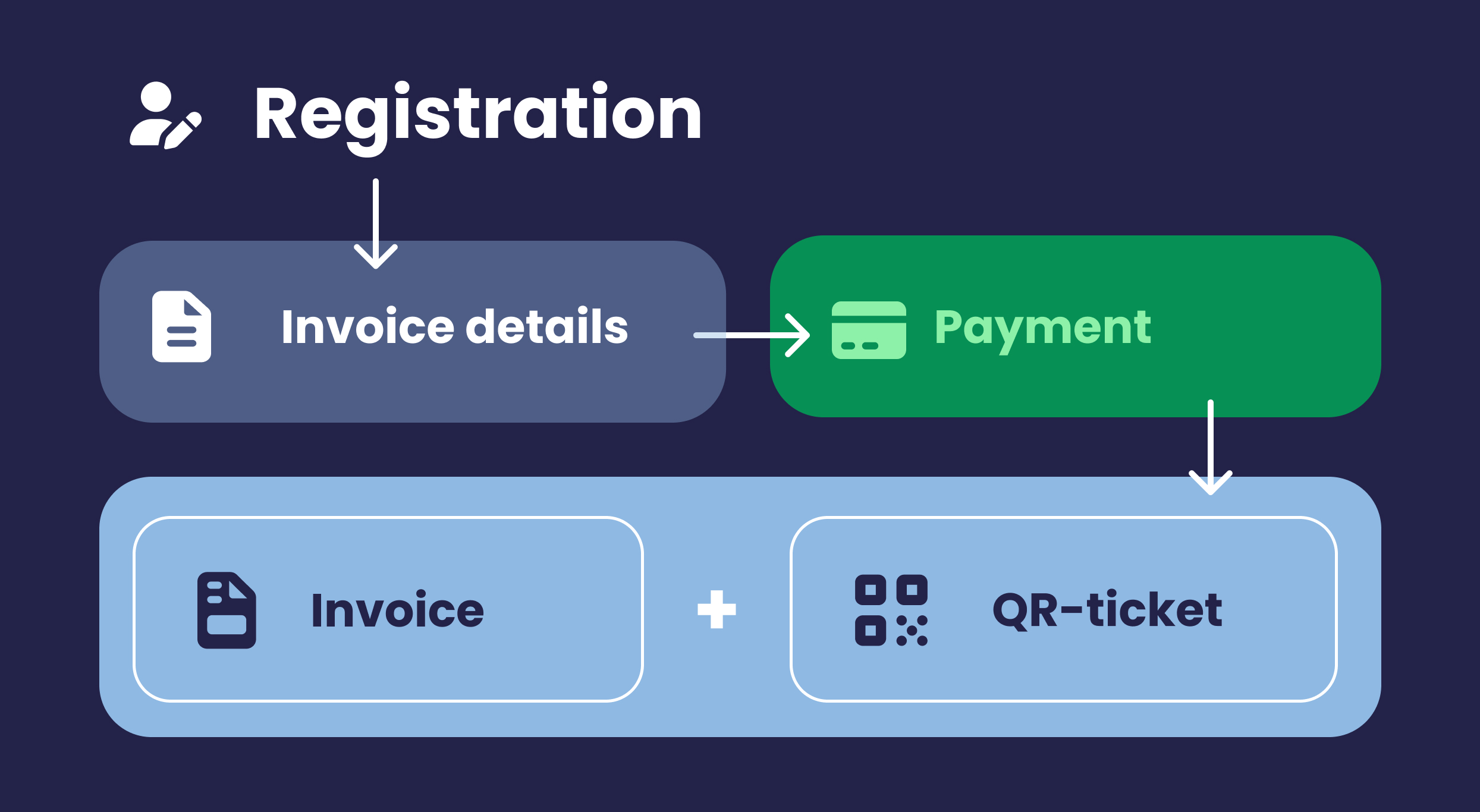
If someone else takes their place, that person will receive their own e-ticket with a unique QR code. The old code will expire. Their name will appear on the badge, and they will be registered for the correct sessions, provided that their session selection is carried over or re-selected.
If a session is already full, participants are placed on the waiting list and move up as spots open up due to cancellations. This was the approach taken for the study day for Junis Kinderopvang, which drew more than 1,200 employees.

The final mailing as a safety net
Just before the event, a final reminder email is sent to all registered participants, with the personalized e-ticket attached. This reduces the number of no-shows and ensures that everyone has their current information on hand. If you use an Event App with e-ticket, participants will be able to view their updated schedule and practical information there.
If there are any changes to the program itself, you can select only the participants involved instead of emailing everyone. At Rijkswaterstaat, Activo managed projects of this kind involving multiple target groups.
On the day of the event
Changes received on the morning of the event can still be processed. Activo is on-site to ensure that check-in, badge distribution, and access control run smoothly; see access control at event venues. If someone isn’t on the list but is supposed to be there, the issue is resolved at the desk while the line continues to move.
Participant data is processed in compliance with the GDPR, in accordance with your organization’s privacy and security requirements.
Frequently asked questions about last-minute changes
Until when can you make changes to the participant list?
What happens if a participant is replaced by a colleague?
How can you prevent a change from being forgotten somewhere?
What is a final-call email?
What if someone isn't on the list on the day of the event?
Can you still share a revised schedule?
Is your participant list changing right up until the last minute? Request a consultation, and we’ll work with you to handle registration and check-in in a practical way.
Schedule a short consultation