Replacing a conference booklet with a digital programme
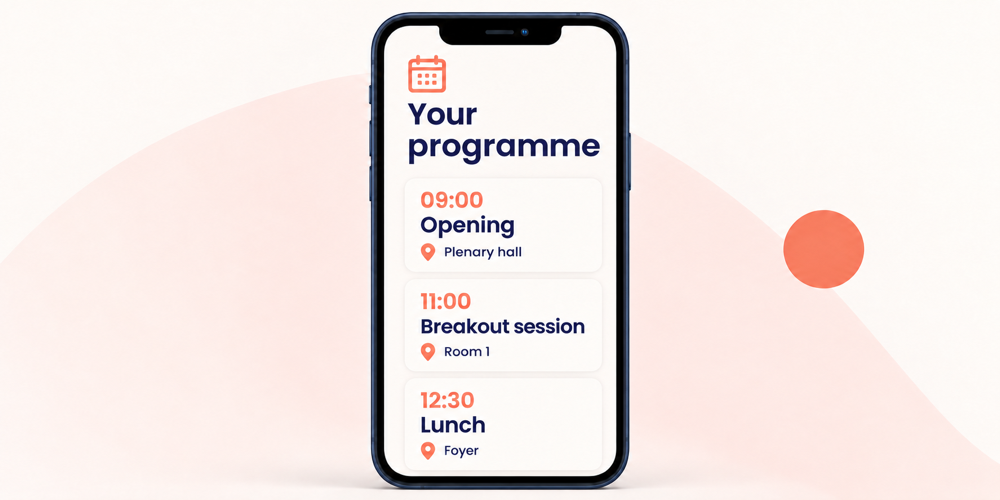
A digital conference programme brings sessions, speakers, times and rooms together in one place. You can update published information when the programme changes. The Event App can therefore replace the detailed printed booklet, with a compact printed overview alongside it where useful.
The programme content is agreed, but a speaker moves to a different time and a popular session needs a larger room. The programme committee wants attendees to find the right information. A digital programme helps when everyone knows who handles changes and which published version to follow.
Start with what attendees need
A useful digital programme quickly answers three questions: which session am I attending, when does it start and where do I need to go? Place the session title, start and end times, and room together. Add the speaker or session chair and a short description.
For a conference lasting several days, make each day easy to identify. Include plenary sessions, breaks and the closing session. Use the same room names as the venue signage, adding the building or floor where helpful.
Attendees can explore the content in more detail without overcrowding the daily overview. This might include a session summary, speaker information or a link to an accepted contribution.
Agree where the programme is managed and published
Agree with the committee and conference team where approved programme information is maintained. Define who submits changes, who processes them and who checks the published version. This keeps responsibilities clear when several people are involved.
If you want the programme on both the conference website and in the Event App, agree what each will show and how both will be kept up to date. A revised file from a speaker, for example, only becomes attendee information once the relevant change has been processed and published.
The Event App with e-ticket brings the programme and practical conference information together in your event’s visual style.
Connect the full programme with personal schedules
The full conference programme helps attendees explore topics. A personal schedule shows the activities relevant to them. Confirmed session choices form the basis, alongside shared activities such as the opening session and lunch.
Agree how attendees can change a session choice, the deadline for doing so and how available places will be managed. Distinguish clearly between a confirmed place and a position on a waiting list.
Also decide which programme information is public and which personal choices are available through the attendee environment. Set up appropriate access for attendees and the staff involved. Read more about the personal schedule in the Event App.
Give programme changes a clear process
A change of room or time requires more than editing a line in the programme. Update the published information, check the result and inform the speakers, hosts and attendees involved. Agree in advance who coordinates this on the conference day.
Suppose the 11.00 session moves to another room. The programme administrator updates the room and checks the attendee view. The reception team receives the new information, and the affected attendees receive a targeted message with the new room. A push notification through the Event App can be part of the agreed approach.
This keeps digital information aligned with what happens at the venue. For a change shortly before a session starts, also use the agreed communication through room hosts or announcements.
Add a compact printed overview where useful
The detailed printed booklet no longer needs to contain every session description and speaker biography. Providing that information digitally lets you reduce printed material and make changes after the original publication.
A brief daily schedule or venue map can still be helpful at reception. Show where to find the current programme and use consistent room names. Check this overview shortly before printing too.
Before the conference, follow a few attendee routes on a phone. Are the times easy to read, is the next room clear and are links easy to open? Include, for example, someone attending for one day and someone following several parallel sessions.
A digital programme in practice
For the NVGE Digestive Disease Days, Activo created a central conference environment for registration, abstracts, the programme and communication. Through the integrated Event App, attendees could access their personal schedule, current conference information and digital e-ticket.
This combination shows how the programme connects with both preparation and the conference visit. View the NVGE case study for details of the platform.
Frequently asked questions about digital conference programmes
How do attendees find the digital programme?
Can the committee submit changes on the conference day?
Can the programme remain available after the conference?
Discuss the digital programme for your conference
Would you like to replace your conference booklet or make it more compact? Share your programme outline, the number of conference days and how attendees choose sessions. We can help you plan a digital programme that works for your committee, conference team and attendees.
Plan a short consultation