A personal schedule in the Event App for every attendee
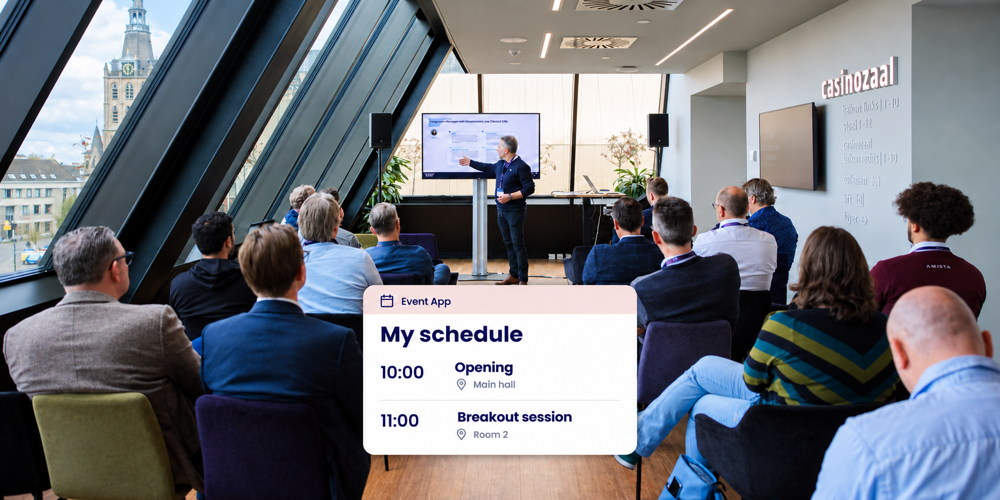
Your programme committee brings together in-depth sessions, parallel tracks and time to meet. A personal schedule in the Event App gives each attendee a clear view of their selected sessions, times and rooms. It helps participants follow their conference day and allows the conference team to focus on supporting the event.
A useful personal schedule starts with connecting registration and the programme. Which sessions has someone chosen? Which activities are for everyone? And how will you handle changes? Activo helps you plan this setup so the schedule in the app reflects attendees' choices and the way your organisation works.
Turn session choices into a clear conference day
The choices attendees make during registration form the basis of their personal schedule. Include shared activities too, such as the opening plenary, breaks and closing session. For a multi-day conference, we agree which days and activities apply to each attendee.
Make the following details clear at a glance for each programme item:
- The title, start time and end time.
- The room or location where it takes place.
- The speaker or session chair.
- Where to find a short description of the content.
The personal schedule then becomes a practical guide through the conference day. We also agree how attendees can explore the full programme. This helps them prepare and consider whether they would like to change a session choice.
Session rounds and available places are set up during registration. Read more about conference session selection with capacity limits.
Make the information easy to recognise at the venue
Use the same session titles and room names in the app, on the conference website, on signs and in host briefings. Attendees should be able to recognise the room from their schedule as soon as they reach the door. Add a floor or building where helpful.
Consider the transition between sessions too. Is there enough time to walk to another room? Are breaks and shared activities clearly included? Walking through the programme as an attendee reveals what information people need along the way. The Event App with e-ticket brings the schedule together with practical conference information.
Agree how programme changes will be handled
Agree with the committee, conference team and Activo who will report changes, who will process them and who will check the published information. Include communication with speakers and hosts. This keeps the information in the app aligned with what happens in the room.
Work through three situations in advance:
- An attendee chooses a different session. Decide the deadline and process for making changes, and how the confirmed choice will appear in the personal schedule.
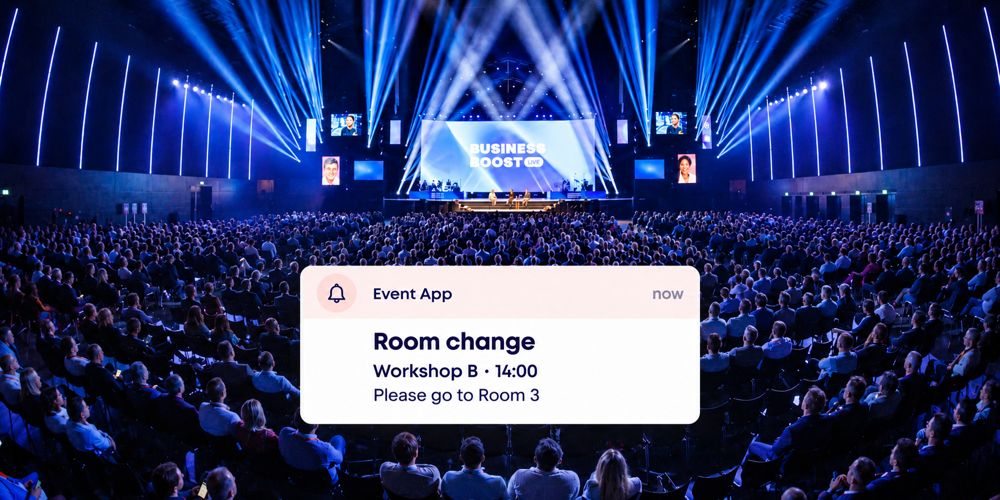
- A session moves to a different room or time. Update the programme and decide what additional communication is needed, such as a targeted push notification on the day.
- A place becomes available in a full session. Coordinate the waiting list, confirmation and schedule update. Attendees should be able to clearly distinguish a waiting list place from confirmed participation.
These arrangements make changes easier to manage. Your team knows what to do, and attendees receive information they can use to plan their next step.
Use session choices to inform committee decisions
Registration numbers for each session help you monitor interest in topics and review room allocation. If you also want to know who actually attends a session, arrange attendance recording at the relevant rooms. You can then compare session choices with recorded attendance meaningfully.
Session evaluations can also help the committee plan the next conference. Agree beforehand which information you want to collect and how you want to review it. This lets you make focused decisions about the setup, based on the questions your committee wants to answer.
Check the schedule from different attendees' perspectives
Before introducing the app, work through a few typical attendee journeys. For example, view the schedule of someone attending for one day, someone with several session choices and someone requesting a change. Check times, rooms, shared activities and confirmations.
Do this with the conference team and the person responsible for programme management. Activo helps align registration and the app. Also agree who within the organisation needs access to attendee information, so the process fits the roles in your team.
A personal schedule in practice
For the NVGE Digestive Disease Days, Activo created a central conference platform covering registration, abstract management, the programme and communication. The integrated Event App gave attendees access to their personal schedule, up-to-date conference information and digital e-ticket.
This combination shows how the programme becomes part of the wider attendee experience. Explore the NVGE case study to see how this conference platform was set up.
Frequently asked questions about personal schedules
Do attendees need to select their sessions again in the app?
How do shared activities appear in the personal schedule?
What happens if a session changes room or time?
Can attendees change their session choices?
How are attendees on a waiting list handled?
Can we also use a printed programme?
Discuss personal schedules for your conference
Are you organising a conference with several rounds, parallel sessions or different attendee groups? We can help you plan session selection, shared activities and programme changes. Share your programme outline with us, and we will discuss how registration and the Event App can support it.
Request a consultation