Registration by discipline for a multidisciplinary conference
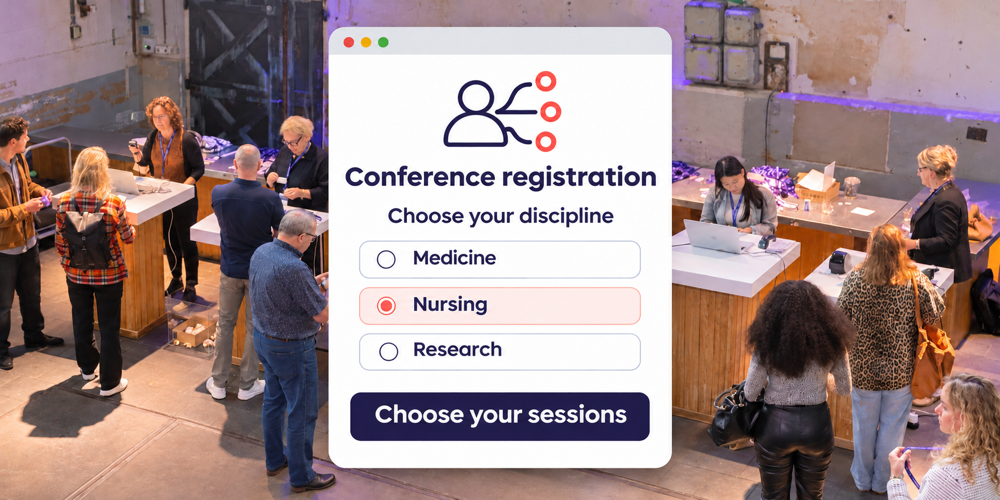
Registration by discipline helps you offer relevant questions and session choices at a multidisciplinary conference. The programme committee keeps all registrations in one overview and can see which disciplines are represented. Shared sessions and opportunities to meet across disciplines remain an important part of the programme.
Consider a conference bringing together doctors, advanced nurse practitioners and researchers. They share an interest in the topic but have different needs for in-depth content. You want everyone to find their way through the programme and easily discover sessions beyond their own discipline.
Decide what the discipline should determine
Use familiar discipline names in the registration form. Then decide which follow-up questions, programme options or communications differ between groups. For example, ask for a professional registration number only when it is needed for the relevant accreditation route.
A recommended session and a restricted session need different rules. Show who each session is aimed at and who can attend. A researcher can then choose a clinical session if it is open to other disciplines.
Make the choices clear for each session
| Session type | Audience and choice | Capacity |
|---|---|---|
| Plenary | For all attendees registered for that day. Include it as a shared activity. | Check the room can accommodate the expected group. |
| Specialist session | Recommended for a discipline. State whether others may also choose it. | One limit for all bookings for this session. |
| Shared parallel session | For several disciplines. Attendees choose the same session. | One shared limit, even with different registration routes. |
This is an example structure. Define eligibility separately for restricted sessions. At a multi-day conference, also take account of the days each person is registered to attend.
Manage capacity across disciplines
A shared session has one total number of places. Avoid creating separate capacities for each discipline unless you deliberately reserve places for particular groups. This keeps the total number of bookings aligned with the room capacity.
Suppose a workshop has eighty places. Doctors, advanced nurse practitioners and researchers share those eighty places. If the committee reserves twenty places for one group, also decide when any unused reserved places become available to others.
Decide what happens when a session is full: choose an alternative or join a waiting list. Make it clear when a place is confirmed. Read more about conference session selection with capacity limits.
Give the committee useful overviews
Decide in advance which questions the reporting needs to answer. A useful overview might show:
- How many individual attendees have registered for each discipline and conference day.
- How many confirmed bookings and people on the waiting list each session has.
- Which disciplines are registering for shared sessions.
Keep attendee numbers and session bookings separate. Someone who chooses three sessions is still one attendee. Use the level of interest to review room allocation and communications in good time; increasing a limit also requires suitable space.
Connect choices to the personal schedule
Bring confirmed choices, shared activities, times and rooms together in the personal schedule in the Event App. Keep the full programme easy to find too. Agree a deadline for changes and how new choices will be confirmed.
Displaying a discipline on a badge helps people recognise colleagues in their field. For session access, staff use the agreed checks on bookings and access permissions. Make sure room names match across venue signs and the programme.
Align attendance recording with accreditation
For accreditation, establish which data and attendance checks each professional group requires. A session booking records a choice; attendance records capture the visit. If the duration of participation must also be demonstrated, plan the attendance recording accordingly.
Activo helps set up registration and attendance recording. Applications, requirements and the awarding of credits follow the process of the relevant accrediting body.
Test before registration opens
Work through a registration for each discipline with the conference team. Also check someone with two disciplines, a full session, overlapping times and a changed choice. Then review the confirmation, personal schedule and committee overview. This tests the whole process from both the attendee’s and the organiser’s perspective.
Frequently asked questions about registration by discipline
Can attendees choose sessions outside their own discipline?
How do you register someone with two disciplines?
Is the waiting list organised by discipline or by session?
Build a clear registration process around your conference programme
Activo’s Medical Conference Platform supports registration, abstracts, payments and conference communications. We help translate your attendee groups and programme structure into relevant questions, session choices and overviews.
Bring your draft programme, disciplines and preferred session selection rules. We can then discuss how attendees will plan their conference day and what information the committee needs.
Book a short consultation