Group registration for teams at your event
A client wants to bring four colleagues to your customer event. The names arrive by email, workshop choices follow later, and a week before the event someone is replaced. If your team processes everything manually, one invitation soon becomes a series of separate changes.
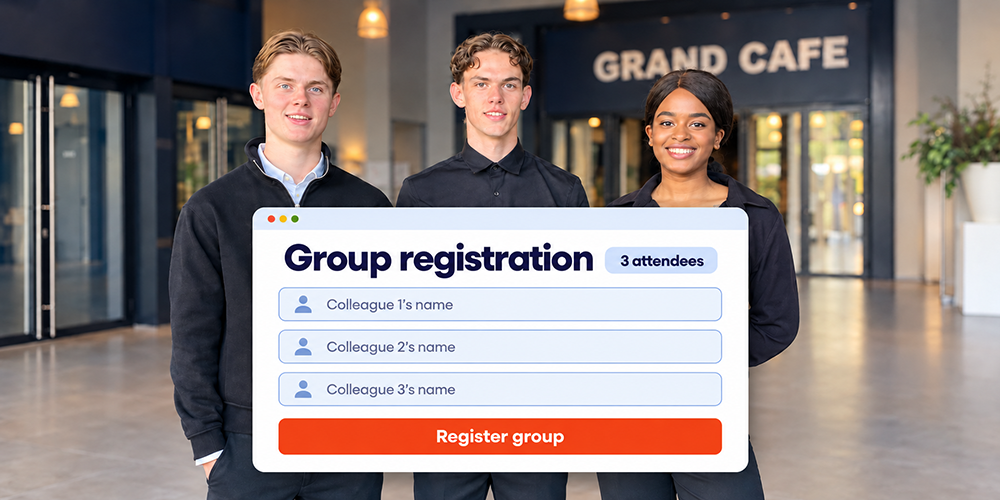
Group registration lets one contact person register several attendees in a single process. Each attendee has an individual registration, while the registrations remain linked to the same group. This combines a straightforward booking process for the team with individual e-tickets, session choices and check-in. You agree in advance how confirmations and tickets will be sent.
Establish who is registering the group and who is attending
The contact person handles the group registration but does not necessarily attend. An office manager registering colleagues is one example. The form should therefore clearly record whether the contact person is attending too. Only actual attendees should count towards capacity, catering and badges.
Also decide how many people can be registered. Does a limit of five include the contact person? Does it apply to each group registration or to the whole company? These are different rules. Two contacts from the same company could exceed a company limit if it is only applied to each form. Agree how you want to check this.
Collect the information you need for each attendee
Start with the details of the person handling the registration. They then add the attendees. Ask for the information your event needs for each person, such as the name for the badge, an email address for communications and any session choices.
Avoid asking people to enter shared information, such as the company name, repeatedly. Individual choices do need to be recorded for each attendee. The contact person's dietary requirements or workshop choices do not automatically apply to the rest of the group.
Ask the contact person to check details and preferences with their colleagues. A short form works better when it is clear what information is needed to register the whole group. Read more about which details to collect during event registration.
Choose who receives confirmations and e-tickets
Having an individual e-ticket is different from having an individual email address. Each attendee can have a personal ticket even when all tickets go to the contact person. Decide how you want communications to work:
- Directly to each attendee. You collect an email address for each person. Confirmations, e-tickets and practical information can then be sent directly to the relevant colleague.
- Through the contact person. One recipient receives the tickets. They distribute the individual tickets and pass any updates about the event on to the group.
Direct communication is useful when attendees choose different sessions or arrive at different times. Central distribution can suit a team whose arrangements are all coordinated by one person. State in the confirmation who will receive the tickets and when they will be sent. The group then knows what to expect and who needs to forward the tickets.
Manage capacity for each attendee and session
A group registration for five people uses five attendee places. A maximum group size therefore does not replace a capacity limit for the event as a whole.
For workshops, each person's choice counts towards that session's capacity. If three colleagues want the same workshop but only two places remain, it must be clear what happens to the third registration. Will you offer an alternative, use a waiting list or ask the contact person to choose another session first?
Agree this process in advance. A waiting list and any automatic allocation of places as they become available need to be configured for your event. Each person's confirmation should clearly distinguish a confirmed session place from a place on the waiting list.
Agree how changes will be handled
Set a deadline for adding, cancelling or replacing attendees. Also decide whether the contact person can do this through their registration or needs to contact your organising team. Explain the process in the confirmation.
Apply changes to the relevant person so that the other group members remain correctly registered. For a replacement, check the name, contact details, session choices and any dietary requirements. Do not carry over the original attendee's preferences without checking them.
Agree what happens to the existing ticket when details change, and who receives an updated or new ticket. If badges or working lists have already been printed, update them too. This helps prevent a situation where the digital registration is correct but the reception team is working with outdated information.
Keep track of groups and individual attendees
You want to know how many people are coming from each company. At the desk, staff need to find the right person, registration and badge. Keep an overview of both groups and individual attendees, including personal choices and current registration status.
Each attendee checks in with their own ticket. One scan therefore does not mark the whole group as present. Colleagues can arrive separately. Make sure everyone receives their ticket and agree how the team will handle missing tickets.
Explore how Activo handles online attendee registration and how it connects to access control at the event venue.
Test a complete group registration before sending invitations
Test registration on a phone too, both with a contact who attends and one who only registers others. Check the attendee count, different session choices and delivery of the correct tickets.
Also test a full workshop and an attendee replacement. Then check the attendee overview and scan the test tickets. This lets you verify the whole process, from the form to reception at the venue.
Frequently asked questions about group registration
Does every attendee need their own email address?
Can places be reserved before all names are known?
Can group and individual registration be offered together?
Is group registration also suitable for a conference?
Discuss group registration for your event
Activo has supported organisations with event registration since 1997. We help you align group registration with your invitations, attendee communications and reception at the venue.
Tell us your event date, expected attendee count and how many people can be registered in each group. Also let us know whether you want tickets sent directly to attendees or through the contact person. We can then discuss the setup that suits your event.