Reusing registration for a recurring conference
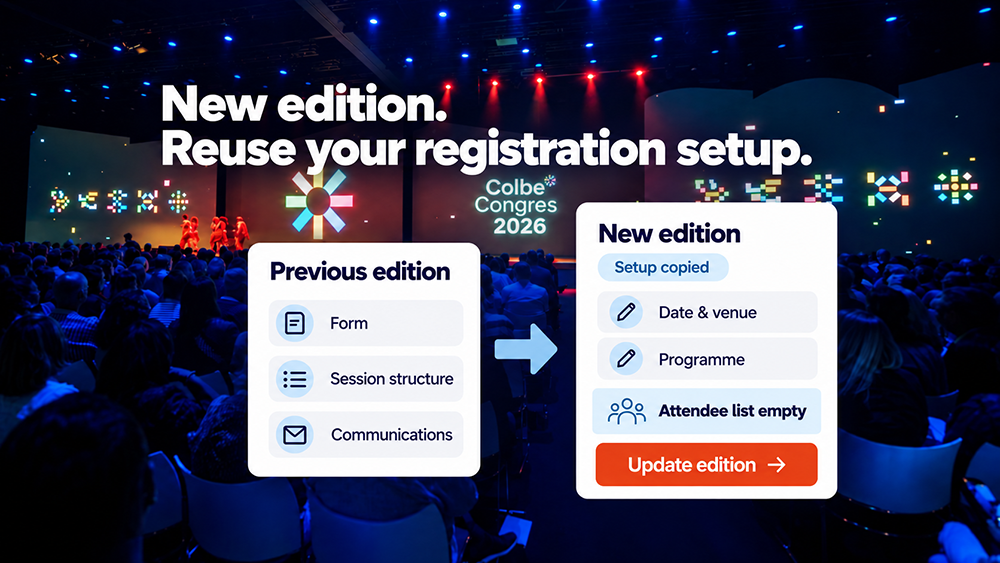
For a recurring conference, you do not need to rethink registration every year. The previous edition's form, attendee groups and communications provide a useful starting point. Check what still works, update what has changed and start a separate registration list for the new edition.
This gives the programme committee and secretariat more time for content and attendees. The main benefit is retaining proven choices and clear working arrangements. Targeted checks prevent old prices, fully booked sessions or incorrect dates from being carried over unnoticed.
What you can reuse from the previous edition
Conference registration consists of interconnected elements. Discuss which can serve as a foundation and which need setting up again. Use this overview:
| Element | Reusable foundation | Check again |
|---|---|---|
| Design | Page layout and branding | Edition name, year, logos, images and venue |
| Form | Questions and attendee groups | Whether fields are needed, answer options and access permissions |
| Session selection | Approach to rounds and parallel sessions | Programme, timings, room capacity and waiting list rules |
| Communications | Structure of invitations and confirmations | Recipients, wording, links, attachments and sending times |
| Paid registration | Pricing structure and payment steps | Amounts, pricing periods, discount codes and invoice details |
A field need not disappear because few attendees completed it. It may matter to a small group. Ask who uses each answer and why. This improves the form without losing necessary information.
Separate inviting people from registering them again
Start the new edition without last year's registrations, session bookings, payment statuses or check-ins. A previous attendee is not yet registered for the next conference. An existing contact record or user account does not confirm attendance either.
An existing invitation list may provide a starting point, where reuse is permitted. Check that details are current, the group is appropriate and communication preferences are respected. Someone may have changed organisations or no longer be a student. Declining one edition is also different from asking to stop receiving invitations.
Pre-fill known details where appropriate, but ask attendees to check them and confirm their new registration. Keep historical registrations separate under the applicable retention arrangements and decide who still needs access. Do not automatically treat old dietary requirements as current choices, for example.
Adapt sessions to the new programme and venue
The way attendees choose sessions can remain familiar. Available options and limits must suit the new edition. Check each round's timings, rooms and group access permissions, even when returning to the same venue.
For example, last year's workshop accommodated a hundred attendees, but the new room seats seventy. The old limit cannot remain. If demand is high, explore a larger room, a repeat session or a waiting list. Simply raising the limit does not create more space.
Read more about conference session selection with capacity limits.
Review abstracts and accreditation for each edition
For a scientific conference, the submission and review process can provide a foundation. Check themes, deadlines, submission requirements and assessment criteria. Confirm which reviewers are available and which submissions they may assess.
New abstracts start a new review process. Old scores, assignments and acceptance decisions do not automatically belong to the next edition. Reassess the required attendance tracking and accreditation information against the new programme too.
Activo's Medical Conference Platform combines registration, abstract handling, payment and conference communications, among other functions. Discuss which elements to reuse or adapt during preparation.
Use the previous edition to make targeted improvements
Before making changes, review questions received by the secretariat and where attendees encountered difficulties. Was a price misunderstood, a session quickly full or ticket timing unclear? Use those findings to improve explanations, structure or communications.
Only compare figures that mean the same thing. Registrations, cancellations and recorded arrivals each tell a different story. Attendance can also vary with the audience, date or programme. Look beyond one percentage before changing the invitation process.
Briefly record the agreed improvements and assign responsibility for each. The secretariat oversees the attendee journey, the programme committee checks content and the relevant finance lead confirms prices. This preserves knowledge when team members change.
Check the full journey before opening registration
Go through the new edition as an attendee, even if much looks unchanged. Create test registrations for the different groups and check at least:
- Registration and changes: correct questions, group, prices and cancellation process.
- Session selection: correct round and capacity, including what happens when a session is full.
- Payment, where applicable: correct amounts, payment steps and invoice details.
- Communications: correct edition, recipients, sending schedule, links, attachments and calendar entries.
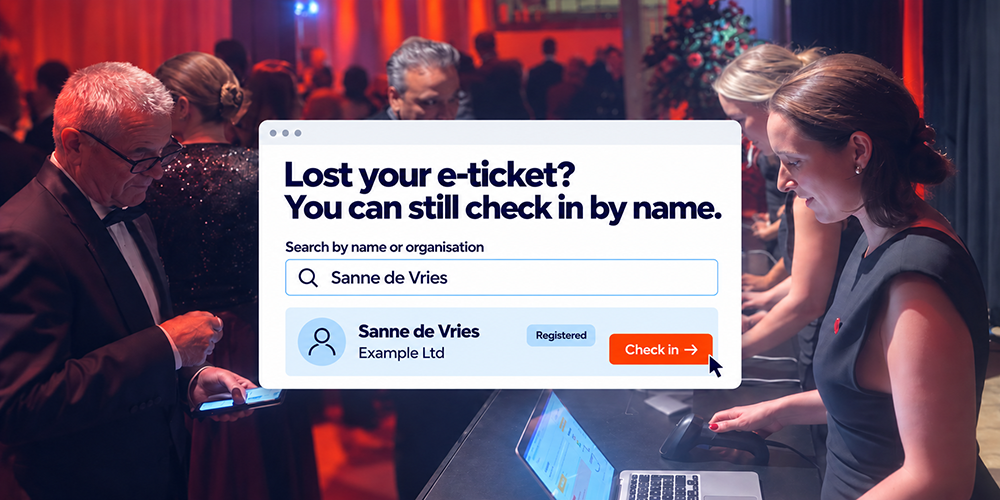
- E-ticket and reception: the ticket belongs to the new registration; an old ticket does not grant entry to the new edition.
Remove test registrations and deactivate old sending schedules. Have one responsible person approve the setup before opening registration and sending invitations. A save-the-date notice can go out earlier, with a confirmed date and clear information about when registration will open.
A central conference environment in practice
For the NVGE's Digestive Disease Days, Activo created one environment for attendee registration, abstract handling, exhibitor management and communications. Those connections also help when preparing the next edition: programme changes can affect registration, communications and reception.
Frequently asked questions about reusing registration
What is an abstract review module?
Can authors still edit their abstract after submission?
Can an abstract be reviewed by multiple reviewers?
Can the committee see which reviews are still outstanding?
Does the abstract process run alongside conference registration?
Discuss the foundation for your next conference
What can you retain from the previous edition? Bring the previous setup and changes to the venue, attendee groups, sessions and prices. Together, we can assess what remains useful and what the new edition needs.