Track event attendance in real time
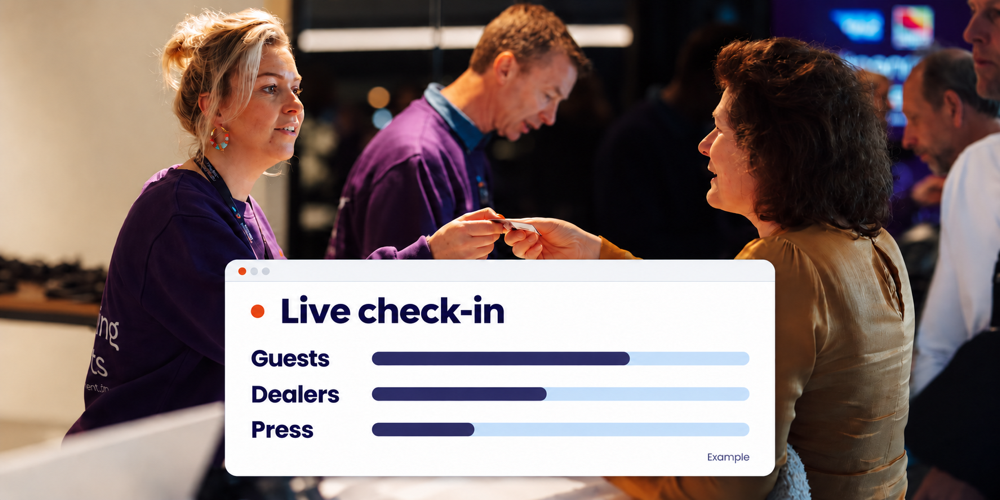
During a customer event, you want to know how arrivals are progressing and which guests have checked in. Real-time attendance figures help you answer those questions while the event is taking place. They give you useful information to support the reception team and stay focused on your guests’ experience.
Activo connects registration with on-site check-in. Processed scans can be followed live through an organiser overview. Together, we establish which information you need, who will use it and which breakdowns suit your customer event, product launch or brand activation.
Which attendance figures help during your event
A useful overview starts with the questions your team needs to answer. How many participants have checked in? Which audience groups are still expected? And how are arrivals progressing as the programme’s start time approaches?
Consider three types of information when preparing your event:
- Registrations and check-ins: compare valid registrations with participants whose arrival has been recorded.
- Attendance by audience group: decide whether you want to monitor business guests, dealers, press or employees separately.
- Arrival times and locations: discuss whether you need information by time interval, entrance or venue, and how it will be recorded.
We agree in advance which views your team needs and which breakdowns by time interval or scanning point are available within your setup. With access control at your event venue, processed scans provide the starting point; registration determines which additional information can be linked to them.
Build the overview around your audience groups
For marketing teams, who you reach often matters most. Record the audience groups you want to distinguish during registration and keep changes up to date.
Compare each group with its own registration total. Sixty dealers checked in out of one hundred registrations tells a different story from sixty business guests out of three hundred. Use the same reporting time, too. This avoids treating an early-arriving group as automatically the most successful.
Use the figures to give guests a personal welcome
Suppose fewer dealers have checked in than expected shortly before the opening. You can ask their contact person whether the shared coach is arriving later. The reception team can then prepare for the group and help guests find their way when they arrive. A missing check-in alone does not explain why someone has not arrived.
If many participants arrive together, combine the figures with what your team sees at the entrance. They may need extra help handing out badges or answering programme questions. A rising scan count alone does not tell you how long people are waiting.
Agree who reviews these signals and who liaises with reception, catering or the programme team. Not everyone needs to keep watching a screen. You can focus on your guests and the event experience while a colleague shares the agreed updates.
Distinguish checked in from currently on site
A check-in records an arrival. It does not tell you how many people are still inside. To monitor current occupancy, departures and re-entry must also be recorded consistently.
Repeated scans need clear rules as well. A participant may arrive, attend a workshop and enter the venue again later. Those are different scanning moments for one person. For total attendance, you want to count unique participants rather than add up every scan.
Agree which figure you share with management or colleagues: registered, checked in or currently on site. Monitoring maximum room occupancy also requires an appropriate method of recording entries and exits, alongside clear admission procedures.
Give your team a shared view
The Scan App works online. Before reception opens, test the connection, a complete check-in and its appearance in the organiser overview. Include a forgotten e-ticket or a replacement participant so you can check that exceptions are handled correctly.
For mobile insight, Activo offers the Live App as part of its reception desk solution. We discuss which access and screens suit your setup. The Live App for organisers serves a different purpose from the participant Event App with its programme and e-ticket.
Give staff access to the information they need for their role. Counts are often enough for a general update. Also agree who handles questions and which on-site support Activo will provide.
Use attendance information for relevant follow-up
After the event, check-in records help you review attendance by audience group. Agree beforehand which data you need for reporting and how you will receive it. Record the registration total, reporting time and counting method so colleagues work with consistent figures.
Follow-up can then reflect the visit. You can thank a business guest who attended and share the information discussed. After checking the records, you might offer an event recap to someone without a recorded check-in. An unrecorded arrival does not always prove that someone stayed away.
Attendance alone does not establish satisfaction, purchase intent or commercial return. Combine it with feedback and recorded conversations. To understand which invitation or campaign contributed to attendance, agree in advance how you will record and assess the source. This information does not follow automatically from a scan.
Frequently asked questions about real-time event attendance
How quickly are check-ins visible
Can I see who is still expected
Can I monitor several entrances or venues
Explore the insight your event needs
Want to know which audience groups have arrived during your customer event or product launch? Share your event plans, audience groups and reporting needs with us. We help you plan registration, check-in and the overview for your team. In a relevant demo, we show how these elements work together so you can focus on the participant experience.
Request a demo of registration and live check-in