Multilingual registration for international customer and partner events
Attendees choose a language once. Use that choice for their confirmation, e-ticket and arrival instructions.
You’re inviting dealers from the Netherlands, Belgium, Germany and France to the same product launch. A French-speaking dealer clicks ‘Je m’inscris’ in your invitation, only to find that the workshop choices on the form are in Dutch. How confident would they feel about picking the right session?
Activo sets up one registration process for all the languages you offer. Invitees can complete the form in their preferred language and receive their confirmation and e-ticket in that language. Your marketing team works from a single attendee list.
How do invitees find the right language?
If you know someone’s preferred language, include it in your invitation list. Their personal invitation link can then open the form in that language. A Belgian address alone won’t tell you whether someone prefers Dutch, French or English.
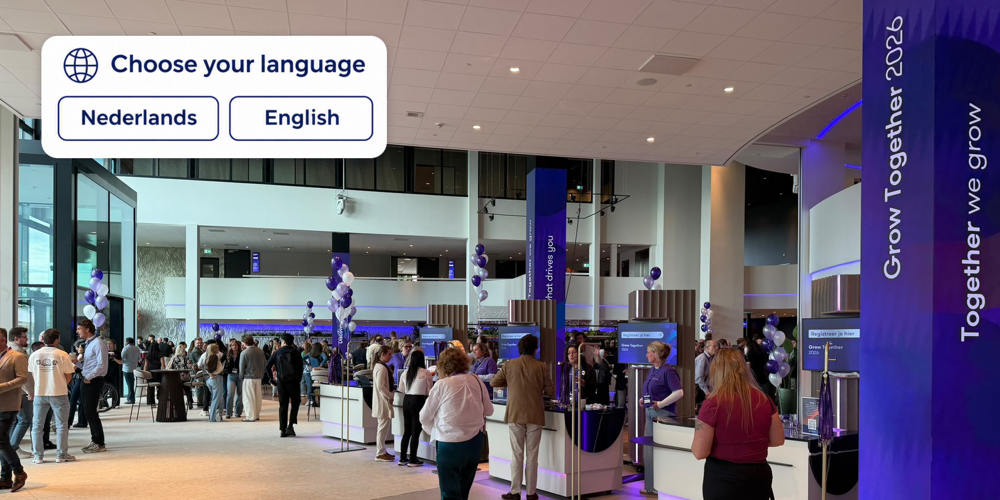
For a public registration page, or when you don’t know someone’s preference, put the language selector at the top. Write each option in the language itself, for example ‘Nederlands’, ‘English’ and ‘Français’. The choice is saved with the registration, so the next email matches the form the attendee completed.
What does your marketing team need to translate?
Keep the questions and choices consistent across languages. Ask someone who knows the audience to review the wording. For example, would your French dealers expect you to address them as ‘tu’ or ‘vous’? Check each of the following in every language.
- The invitation and form, including buttons, error messages, session choices and questions about dietary requirements.
- The confirmation email, e-ticket and reminder, including the instructions attendees will need when they arrive.
- The event website, including the agenda, directions, parking and contact details. If you use the Event App, include its agenda and any planned push notifications.
Check the tone, sender name and design as well as the wording. That way, your branded invitation feels familiar in every language.
Test a registration in each language, from invitation to e-ticket
Send a test invitation to a colleague who speaks the language. Ask them to open it on their phone, skip a required field, then select a workshop and submit the form. Does the error message tell them what to do? Does the workshop have the same name in the confirmation? Can they find the entrance using the instructions on their e-ticket?
Tell people which language each session will be held in, even if the programme itself is available in translation. For example, label a workshop ‘Product demo · presented in English’. Mention interpreting for the sessions where you’ve arranged it. Attendees can then choose a session they’ll be able to follow.
One attendee list for the welcome team
All registrations feed into one list, with each attendee’s preferred language recorded. Filter by language when briefing account managers. A French-speaking colleague can see which contacts might appreciate a welcome in French. You can also include a language on the badge if it helps attendees and the team.
Explore how online event registration brings responses into one list and how Activo sets up your event website and invitations.
Frequently asked questions about multilingual registration
Can one event offer registration in several languages?
Which language will attendees receive their confirmation and e-ticket in?
Who supplies the translations?
Can attendees change their language preference later?
Can the welcome team see which language someone chose?
Where is data for international attendees stored?
See registration in two languages
Planning an international customer event or product launch? When you request a demo, tell us which two languages you’d like to see. We can walk through the form, confirmation and attendee list with your event in mind.
Request a demo