A personal invitation and a warm welcome for your Christmas event

A Christmas event for clients and partners is an opportunity to thank your guests and spend time together. Personal invitations, straightforward registration and a warm welcome all contribute to that. Activo helps you connect these elements in a style that reflects your brand and the atmosphere of the event.
Whether you are organising a winter reception, Christmas dinner or festive afternoon, you want guests to know what to expect and feel welcome. That starts with the first invitation and continues through to the thank-you afterwards. A well-organised registration process gives your team time to focus on the people attending.
Make the invitation personal and specific
Explain why you would like the client or partner to join you. Is it to thank them for working with you, reflect on the year or catch up in a relaxed setting? Describe what they can expect too, such as a reception with a short review of the year, followed by dinner.
A personal greeting and a sign-off from their familiar account manager or director can support this. We agree the sender details and who will handle replies, so a question about an additional guest or the programme reaches the right colleague.
Work backwards from the event date to plan your communication. Once the date is confirmed, a save-the-date can help. Send the invitation when guests have enough information to decide. Allow for travel, any overnight stay and the catering deadline.
Keep your brand recognisable throughout
Choose a festive style that suits your organisation. It might be warm and lively, or calm and understated. Carry the colours, photography and tone through to the event website, confirmation and practical information.
Activo designs the invitation and registration page in that same style. We also consider how they work on a phone, with a clear registration button, readable information and straightforward questions. See how our event websites and invitation process bring your branding into the guest experience.
Make registration clear for additional guests
State in the invitation whether someone may bring a guest and how many people are welcome. This might be a partner or colleague; use the description that fits your event. Then ask only for details needed for reception and the selected activities. These might include:
- The names of the invitee and any accompanying guest, with a clear link between them.
- Attendance at the reception, dinner or other activities if guests can choose between them.
- Dietary requirements and a contact option to discuss an allergy.
- Transport or accommodation, if your organisation offers these.
Include additional guests in capacity and catering numbers. Agree whether the main invitee receives all information or the accompanying guest gets a separate confirmation and e-ticket. The confirmation states who is registered, what is reserved and how to request changes.
Coordinate reminders with personal contact
Work from one invitation list and record the account manager for each contact where relevant. We discuss the reports marketing and sales need and who may access which details. Registrations or cancellations received by phone are recorded in the same system.
Registration reminders go to guests who have not yet responded. Registered guests receive practical information: the start time, venue, directions and an e-ticket if you are using one. For outdoor activities, include advice on suitable clothing. Coordinate the mailing with account managers who plan to contact guests personally.
Deliver the welcome your invitation promises
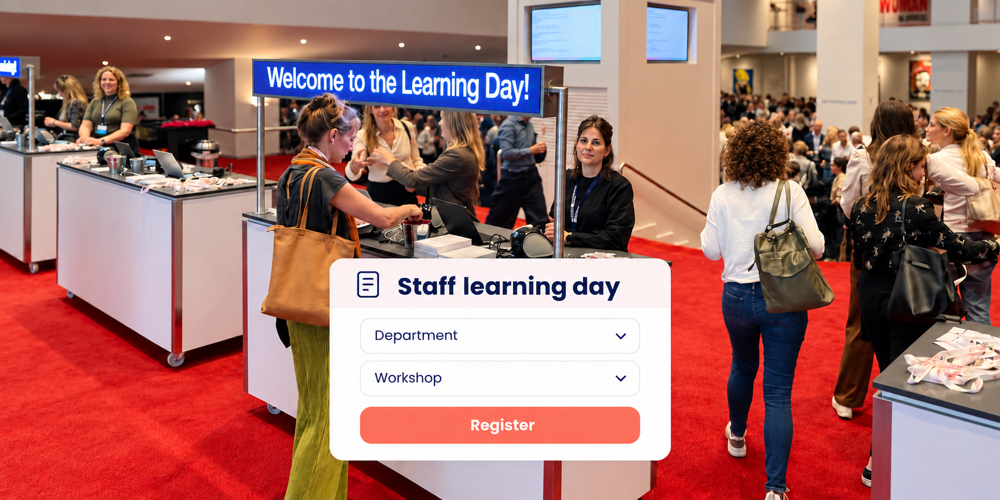
Consider when guests are likely to arrive and plan reception accordingly. Review check-in, the cloakroom and the route to the event together. The reception team knows who is expected, which additional guests are registered and who can help with a missing ticket or a change.
Choose a check-in method that suits the size and atmosphere of the gathering. Guests can present personal e-tickets or be looked up by name. A badge is useful when it helps people recognise one another; tailor the details and design to the occasion.
Also agree how guests can find their own contact person. Activo can help with check-in at the venue, while your colleagues focus on welcoming guests and having conversations.
Keep the follow-up personal too
A thank-you message with a recap or a few photographs can round off the event. The account manager can also follow up on what was actually discussed or promised. Match the wording to the attendance information available: registration and recorded check-in are different statuses.
Agree in advance who can access attendee details, how they are used for event communication and how long they are retained, including exported lists. Share dietary requirements only with those who need them to deliver the service. This keeps responsibilities clear behind the scenes too.
Frequently asked questions about Christmas events
When should I send the invitation?
Can an invitee register an additional guest?
Can invitations be sent on behalf of the account manager?
Do guests need a badge at a Christmas event?
How can we reduce queues on arrival?
Can we see which clients and partners actually attended?
Discuss the approach for your Christmas event
Would you like to invite your clients and partners personally and give them a warm welcome? Share your event date, expected guest numbers and whether invitees may bring someone. We will help you plan the look and feel, registration and support that suit your gathering.
Arrange a short consultation