Lost or missing e-ticket on event day
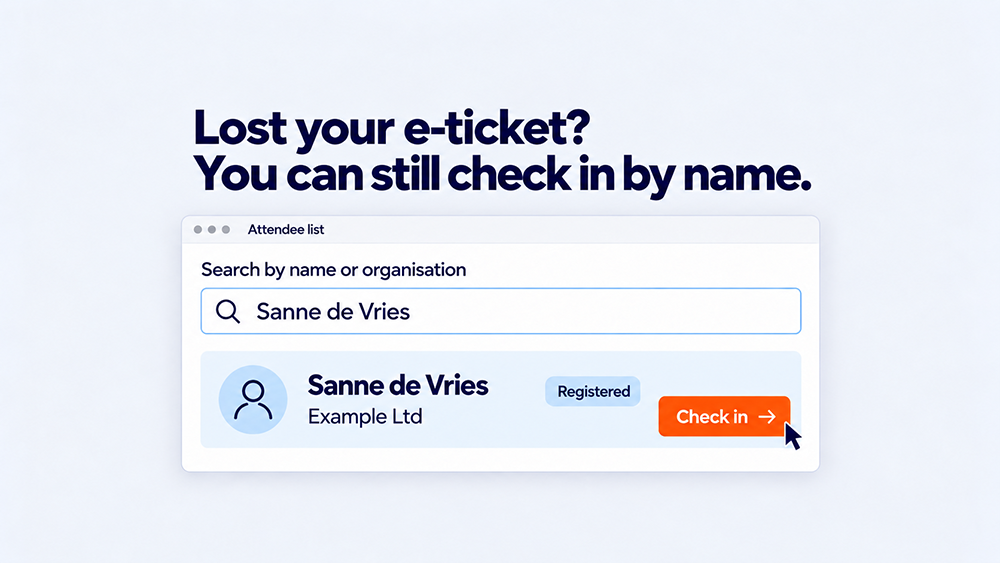
An attendee arrives at the entrance but cannot find their e-ticket. Look up the registration, verify their details and access permissions, and check them in if everything is in order. A missing QR code need not disrupt reception, provided the team knows how to handle it.
For an event agency, the challenge lies in that preparation. You want to help guests in a friendly way, keep the regular check-in queue moving and avoid staff having to make their own decisions about every exception. That requires an up-to-date attendee list and clear arrangements with your client.
Distinguish between the ticket and the registration
An e-ticket may be missing for several reasons. The email went to spam, the address contains a typo, or a colleague registered and received the tickets. The ticket may also be scheduled for later delivery.
The registration might also be incomplete. Do not assume it is valid, but do not conclude that someone without a ticket has not registered. The current registration record is what matters. An invitation, registration confirmation and e-ticket each serve different purposes.
An invitation alone does not confirm attendance. Read more about what an e-ticket for a business event is.
Look up and verify before checking in
Calmly ask for the attendee's name and another detail, such as their company or the email address used. Use the registration system's available search fields. No result? Check spelling, active filters and whether you are searching the correct event edition or day list. If necessary, ask which name was used or which colleague registered them.
Once you find the registration, check three things:
- The right person. Do the details provided match the registration? Follow the verification procedure agreed for this event.
- Valid attendance. Does the registration allow access to this day or programme session? Check any additional conditions agreed with your client.
- Check-in status. Has this person already checked in? Handle an earlier check-in according to the procedure for re-entry or a possible error.
If everything is correct, record the check-in against the existing registration and issue the agreed badge. Resending the ticket at the desk is not always necessary if the attendee can be checked in through the system. This keeps the arrival linked to the right person.
Agree what happens when there is doubt
Not every ticket query is a simple search. Decide in advance who can make decisions about exceptions on your client's behalf and how to reach them. Give desk staff a clear next step:
| Situation | Check first | Next step |
|---|---|---|
| Registration still cannot be found | Correct list, spelling, email address and any confirmation. | Ask the designated contact to review the registration. Create a new one only if approved and necessary. |
| Attendee is already checked in | Whether this is re-entry, the wrong registration or an earlier error. | Follow the agreed procedure; do not count the same arrival twice. |
| Registration does not allow access | Day, programme session, status and agreed entry conditions. | Ask the authorised contact to decide on a change or admission. |
Record approved corrections in the system. Simply handing out another badge can leave registration, access and numbers out of step. Do not immediately create a second registration because you have not found the first.
Keep regular check-in moving
Handle longer searches away from the scanning flow, at an identifiable help point or with an available colleague. A small event may not need a full extra desk. The aim is to prevent one difficult registration from occupying all check-in points.
Make sure staff there can view the required details and know which changes are permitted. Test searching, check-in and any badge printing beforehand. Also check the internet connection and agree what to do during an outage; Activo's Scan App works online.
Activo supports access control at the event venue, including looking up registered attendees who have forgotten their tickets. Agree the equipment, badge arrangements and support to suit your event.
Reduce ticket queries before event day
Explain at registration when and where attendees will receive their e-ticket. This avoids unnecessary queries if tickets are sent shortly before the event. Ask attendees to check their email address and provide a clear way to report errors.
Before the event, send registered attendees a final practical email with their e-ticket, arrival time and venue. This is an attendee email, not a request to register. Read more about using reminders effectively.
If a ticket does not arrive, first check the address, intended recipient and any sending or error notifications. Resending to the same incorrect address solves nothing. Tell attendees whom to contact if searching their inbox and spam folder does not help.
If you use an Event App with an e-ticket, tell attendees beforehand. Check that their personal ticket is available there and they can open the app. You still need a procedure for attendees without a working phone.
Frequently asked questions about missing e-tickets
Can an attendee enter without an e-ticket
Do you need to create a new ticket if one is lost
What if an attendee cannot use their phone
What if a colleague registered them
Plan for exceptions before your event starts
Want your reception team to know what to do about missing tickets, mismatched details or registrations they cannot find? Share your expected attendance, how registration works and which exceptions you want to handle. We can review the process, responsibilities and support that fit your event.