One conference registration process for members and non-members
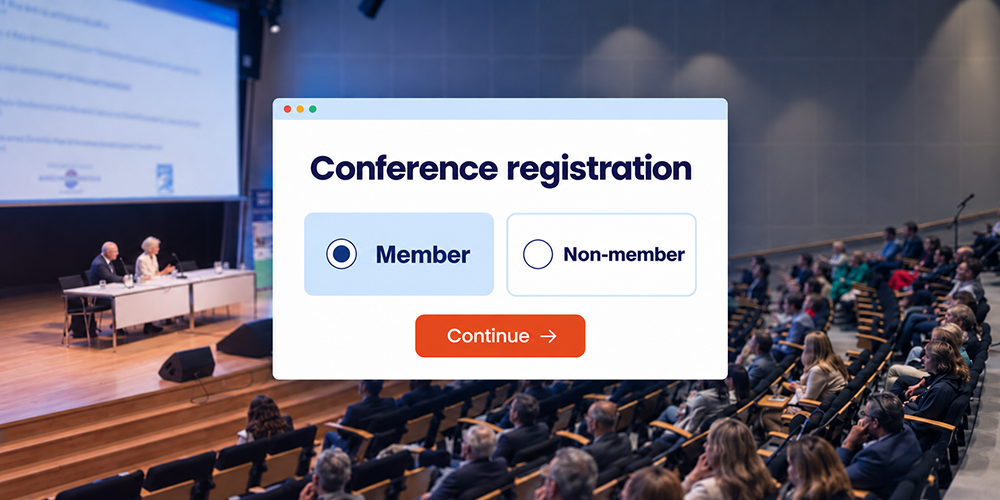
Members and colleagues from outside your association can register for your conference through the same form. With the right setup, each participant sees the appropriate fees, programme options and information. Your conference committee keeps all registrations together in one overview.
This makes it easier to monitor bookings, answer questions and handle changes. Activo helps translate your association’s requirements into a clear registration process, from the invitation to the welcome on the day.
Start with the differences between the two groups
Conference registration for members and non-members usually shares the same basic information: contact details, conference days and session choices. Different handling is only needed where the conditions of participation differ. Examples include a member rate, access to a members’ meeting or additional billing details.
Suppose your annual conference combines a shared conference programme with a members’ meeting. Both groups register for the conference. Members can also select the meeting and see the applicable fee. Everyone receives confirmation of their own choices; much of the practical conference information can remain the same.
We discuss these differences with you in advance. This keeps the form focused and helps participants understand which conditions apply to their booking.
Agree how membership will be established
With a personal invitation, a participant category can be assigned to the invitee in advance. Available details can also be pre-filled. For public registration, you can ask whether someone is a member and request a membership number where needed.
Selecting ‘member’ does not verify membership. We therefore agree which data source is authoritative, which reference date applies and who reviews uncertain cases. Would you like to check against a supplied membership list or connect to your membership system? We discuss what is needed and what is possible before setting up the process.
Exceptions need a clear route too. A new member may not yet appear in the list, while an existing member may use a different email address. Allow these participants to check their details or contact the association office. A missing match does not have to lead straight to the non-member rate.
Connect the correct fee to the payment
Before paying, participants need to see which fee applies and what it includes. Where the booking covers several conference days, dinner or other paid options, the total should be clear as well. Activo’s online payment module lets participants pay during registration and connects the payment to their booking.
For your committee, the relationship between these details matters: which category is recorded, what amount applies and has payment been completed? We also agree when the confirmation, invoice and e-ticket will be sent. This keeps communication consistent with the registration status.
What if someone turns out to qualify for the member rate after paying? Update the existing registration. Check the price difference, any refund or invoice adjustment, and the implications for programme choices and confirmation. Changing the category label alone does not complete that process.
Connect session choices with capacity and access
A shared workshop has one room capacity, even when members and non-members pay different rates. The setup needs to account for their combined bookings. If you want to reserve places for members, we also agree the allocation and when any unused places will be released.
For a members-only meeting, agree who can register and how access will be checked on site. Hiding an option in the form is not sufficient on its own. The registration, access permissions and reception team’s working instructions need to align.
Request accreditation details from participants for whom they are relevant. Membership alone does not determine which information or attendance records are required. Follow the relevant accreditation body’s conditions; conference check-in alone may be insufficient where attendance at individual sessions or duration of participation must be demonstrated.
Give the committee a useful participant overview
A central administration lets you work with focused selections: confirmed participants by category, outstanding payments, membership checks awaiting review and bookings per session. The treasurer can then use the information relevant to payments, while the programme coordinator focuses on session bookings.
Agree who needs which details. Access permissions and badge information matter to the reception team; they do not need the full membership database. We also address the use and retention of supplied data when setting up the process.
Test the process as your participants will use it
Before registration opens, we walk through the main routes with you, including on mobile: a member following an invitation, a non-member using the public page and someone whose membership still needs to be checked. We then review payment, confirmation and the information your team will use.
A change should be part of that test. For example, check whether a corrected membership status prompts the right next steps without requiring a new registration. One form does not automatically prevent duplicate registrations made through different email addresses.
A central conference platform in practice
For the NVGE Digestive Disease Days, Activo brought participant registration, abstracts, the programme and communications together in one conference platform. Different participant groups could register through the conference website. This connected approach is also valuable for association conferences: the committee works from the same foundation, while participants receive information relevant to their attendance.
Organising a medical or scientific conference? Explore our Medical Conference Platform.
Frequently asked questions
Can members and non-members use the same registration link
What if a member follows the public link
Can someone become a member during registration
Discuss registration for your association conference
Bring your participant categories, fees and any restricted programme sessions to the conversation. An existing form or the setup for your previous conference is a useful starting point. We help you identify which differences matter and handle them clearly for participants and the committee.