Let attendees update their own event registration
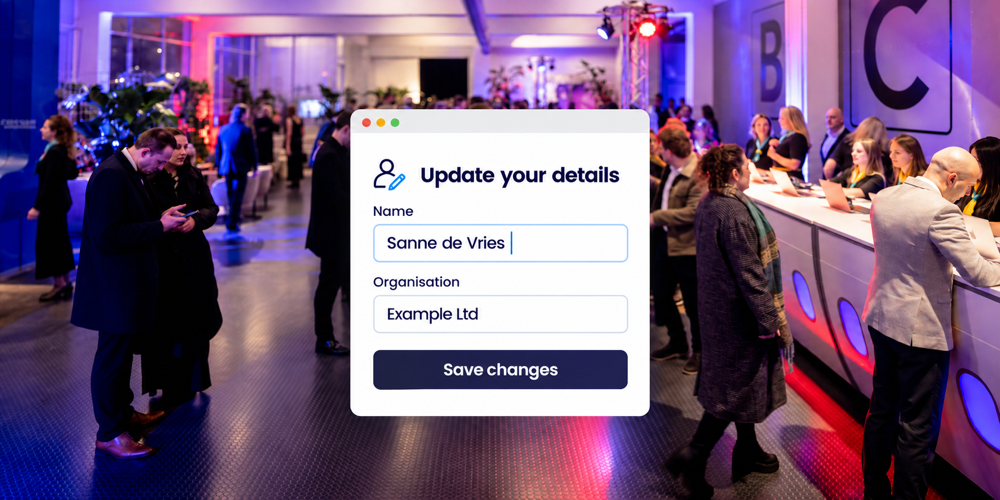
An attendee corrects a spelling mistake, adds a dietary requirement or chooses a different workshop. When they can make these changes through their own registration, your event team has fewer individual requests to process. Attendees know where to go, and you have more time for the programme and their welcome on the day.
Self-service works best when people know what they can change and by when. At Activo, we help you decide those boundaries and what needs to happen after an update. That keeps registration connected to your event preparations.
A clear route from the confirmation email
A personal link in the confirmation email can take an attendee to their registration. They can review their details and choices and make permitted changes. Whether they need a password or an additional access check depends on the setup.
A saved change updates the registration record. Together, we decide what confirmation is needed and whether an e-ticket or programme overview also needs updating. Attendees should be able to tell that their change was successful and which information now applies.
Read how to make your registration confirmation email clear and useful for attendees.
Let attendees handle straightforward corrections
Not every change needs the same consideration. Correcting a typo differs from sending a colleague in your place. We help you decide what attendees can handle themselves, for example:
- Name, job title and organisation: allow corrections while they can still be included in badge production.
- Dietary requirements: allow updates until the agreed handover to the caterer.
- Session choices: permit changes within available capacity and participation conditions.
- A different email address, attendee group or replacement attendee: refer these to the event team where they affect access or communication.
Three changes before a staff learning event
Suppose you are organising a staff learning event with four workshops. In this example, dietary requirements can be updated until five working days before the event. Name corrections close when badges go into production; session changes follow the agreed workshop deadline.
Before those deadlines, attendee Sanne corrects her surname, chooses a vegetarian lunch and switches to a workshop with spaces available. Her registration now contains the updated details and choice. Your team needs to ensure that the next catering list, badge and session list reflect them too.
If Sanne later wants to move to a full workshop, that is not a confirmed place. A clear message or contact option explains the next step, avoiding an expectation your team would otherwise have to correct.
Connect deadlines to catering and badge production
Updating a registration does not alter an export already sent or a badge already printed. Self-service therefore needs a clear handover: who prepares the final list, when it goes to the caterer and how later corrections reach the right person.
We align deadlines with your preparations. Attendees still need a clear contact route for exceptions after a deadline. A dietary request might still be accommodated or a badge reprinted, depending on the arrangements and what is possible at that point. Late changes can then receive attention without different versions causing confusion.
Read more about checking names on badges before production.
Plan what follows a cancellation or replacement
Cancellation can also be part of the personal registration process. It needs clear confirmation and an appropriate next step for reserved activities. Whether capacity becomes available immediately or requires the team's review depends on the setup and participation conditions.
Where there is a waiting list, we agree how an available place will be offered. A request to switch sessions also needs a clear rule for the original booking. Replacements require a separate check: overwriting someone's details may not be enough where an invitation, attendee group or payment is linked to the original attendee.
Personal access and support
A personal link is confidential, so instructions should explain that attendees should not simply forward it. We agree which details can be viewed and changed, who on your team needs access and how long data is kept. For dietary requirements, a practical choice is often enough; detailed personal explanations are not automatically necessary.
Before the first invitation goes out, we walk through the main steps together: saving a change, checking the confirmation and reviewing the registration record. We also cover what happens after a deadline. Your team can prepare for exceptions before attendees start asking for help.
Frequently asked questions about registration changes
How does an attendee open their registration?
Can attendees change sessions themselves?
Does every change generate a new e-ticket?
What happens after the deadline?
Can attendees cancel their own registration?
How can we handle personal details carefully?
Discuss registration changes for your event
Would you like attendees to handle more themselves, with support for exceptions? In a short consultation, we discuss your event, common changes and deadlines. Together, we identify a setup that works for your attendees and your team.
Arrange a consultation about attendee registration